In Part 1, we discussed the importance of memory system design for AI agents. However, before we even worry about memory, we face a more fundamental architectural question: Do you really need an autonomous agent, or is a workflow enough?
With the hype surrounding "Agentic AI," it's easy to fall into the trap of trying to solve every problem with a fully autonomous system. But autonomy comes with a cost: simpler problems often require simpler solutions.
What is a Workflow?
A Workflow is a system where the steps of execution are predefined. Even if some of those steps involve calling an LLM (Large Language Model), the path the data takes is clear from the start. It is deterministic in its flow, even if the content is probabilistic.
Characteristics of a Workflow
- Predefined Path: Step A always leads to Step B (or C, based on simple logic).
- Control: You know exactly what happened and in what order.
- Reliability: Easier to debug and test.
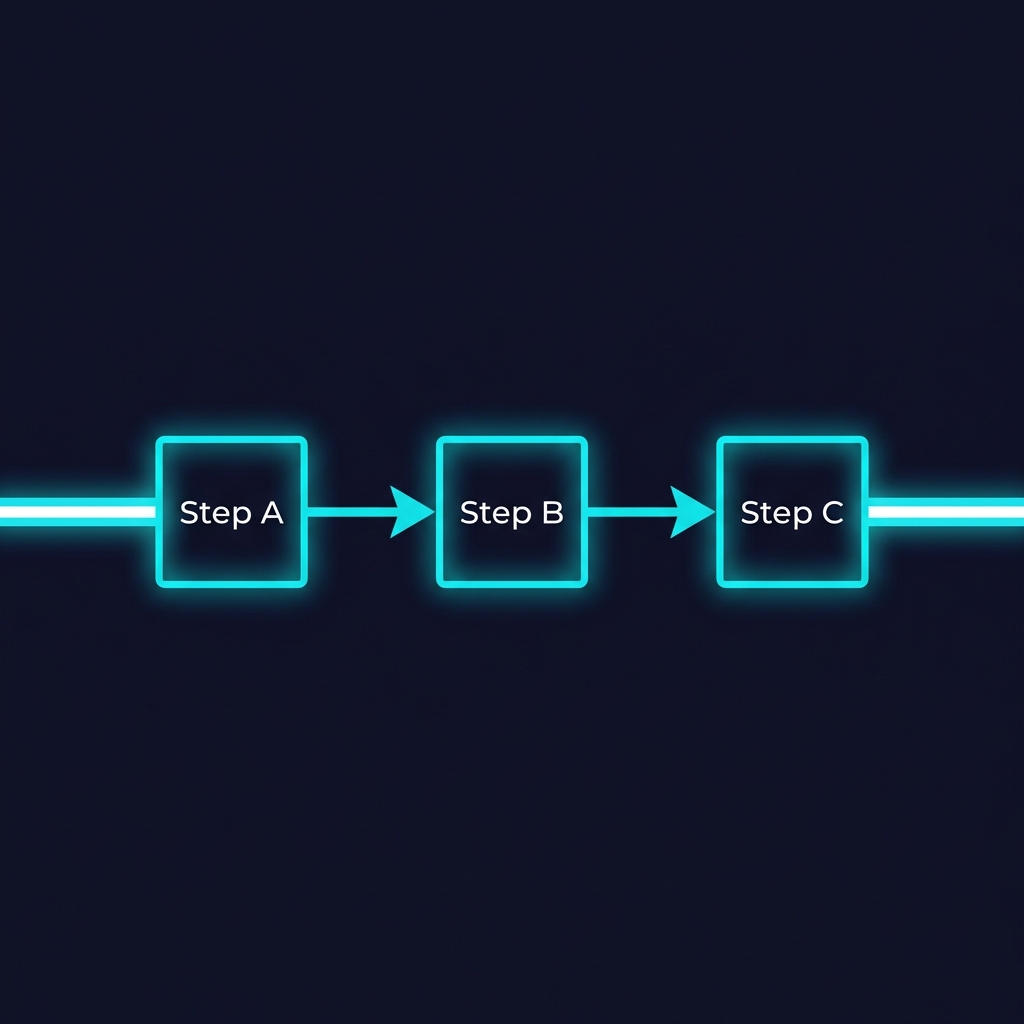
Example: A basic RAG (Retrieval-Augmented Generation) pipeline.
1. User asks a question.
2. System searches the database.
3. System inserts results into the prompt.
4. LLM generates the answer.
There is no "decision" being made about what to do next. The system doesn't wake up and decide "today I won't search the database, I'll just answer from memory." It follows the script.
What is an Agent?
An Agent is a system that uses an LLM as a "Brain" to decide which steps to take to achieve a goal. The developer provides a set of tools (functions), and the Agent decides if, when, and how to use them.
Characteristics of an Agent
- Dynamic Path: The system determines the flow at runtime.
- Autonomy: Can handle ambiguity and multi-step reasoning.
- Loop-based: Often operates in a Thought -> Act -> Observe loop.
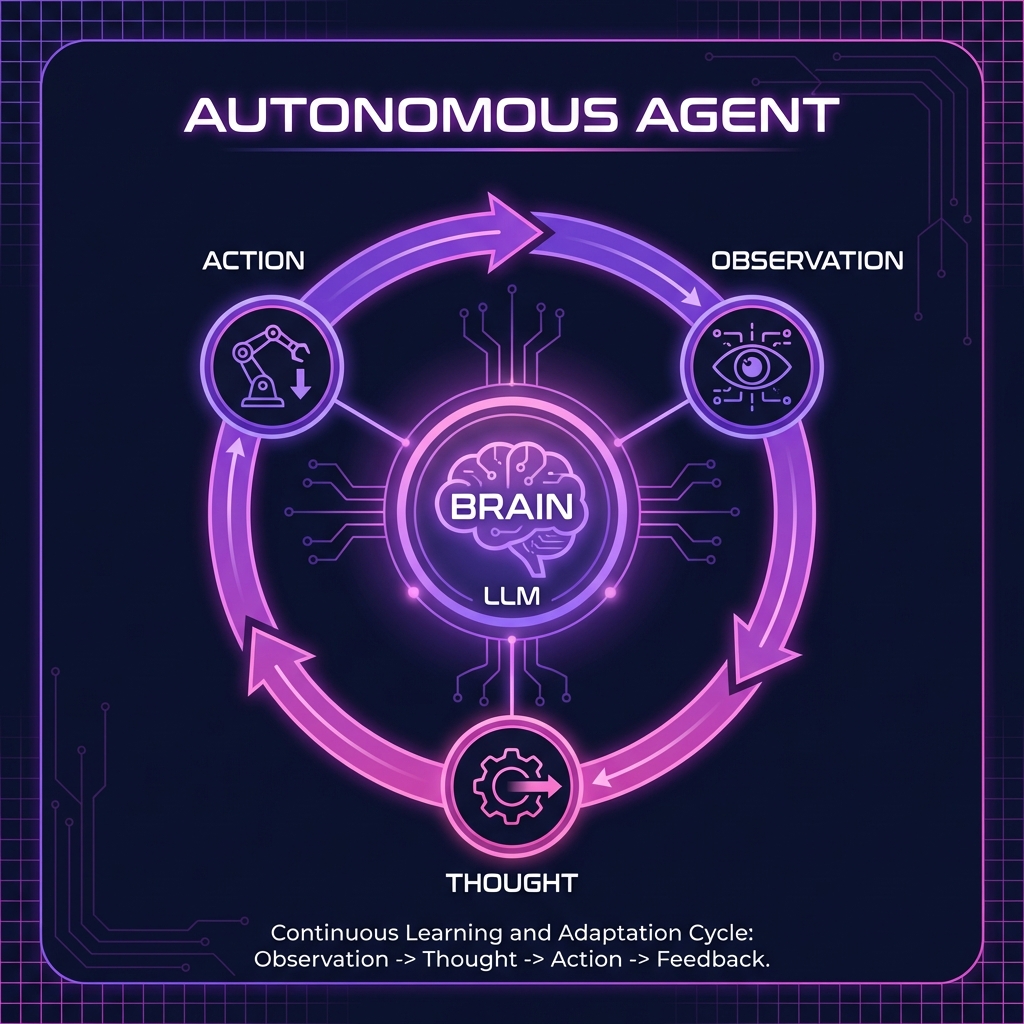
Example: "Book a flight to Paris for next week."
An agent might:
1. Search for flights.
2. Realize it doesn't know "next week" relative to what (or user preferences).
3. Decide to use a tool to check the current date.
4. Ask the user for clarification on preferred airlines.
5. Finally, use the booking tool.
Case Study: Pam - Friendly AI Teacher

A practical example of this distinction is Pam, my AI language teacher project. When designing Pam, I had a choice: build a fully autonomous agent that decides how to teach, or build a structured teacher.
The Constraint: Latency. For a conversation to feel natural (especially voice conversation), the response time had to be minimal. An autonomous agent that "thinks" about the best pedagogical approach for every sentence would be too slow.
The Solution: A LangGraph Workflow.
Pam's Workflow Logic
Instead of asking "What should I do?", the system follows a strict parallel processing path for every user message:
- Input: User sends a message (Audio/Text).
- Parallel Process 1 (Conversation): Generate a natural, friendly response.
- Parallel Process 2 (Correction): Analyze the user's input for grammatical errors and generate a correction if needed.
- Synthesizer: Combine content + correction.
- Output: Generate Audio and Text.
Because the steps are deterministic (Always listen -> Always Check Grammar + Always Chat -> Always Reply), we achieve high speed and consistent behavior. We don't need the AI to "decide" if it should correct the user; that is a product requirement, so it becomes a hard-coded step in the workflow.
Case Study: Clin.IA - Medical Secretary Agent
On the other side of the spectrum is Clin.IA, an automated secretary for medical clinics. Unlike Pam, where speed was everything, Clin.IA operates in an environment where accuracy and autonomy are paramount.
The Context: Patients send a wide variety of messages: scheduling appointments, asking about prices, requesting directions, or just saying hello. The system cannot predict the user's intent linearly.
Furthermore, latency is not a primary concern. A delay of 20-30 seconds is acceptable for a text message. In fact, if the system replies too instantly, it breaks the illusion of a helpful secretary and screams "Bot".
The Solution: An Autonomous Agent.
Clin.IA's Agentic Logic
The system receives a message and enters a decision loop:
- Observation: "User asked: 'Do you have slots for tomorrow?'"
- Thought: "I need to check the calendar. I don't know the user's preferred time yet."
- Action (Tool Use): Call
check_calendar_tool(date="tomorrow"). - Observation: "Calendar returns: Slots available at 10am and 4pm."
- Thought: "I have the info. I will now reply to the user."
- Final Action: "Yes, we have openings at 10am and 4pm. Would you like to book one?"
Because the problem space (medical secretary) involves high ambiguity and a need for complex tool usage (Database, Calendar, Pricing Sheet), a rigid workflow would be nightmare to maintain. The Agent architecture allows Clin.IA to adapt to the chaos of real-world inputs.
The Agentic Spectrum
The reality is rarely binary. Most sophisticated systems live on a spectrum. Professor Andrew Ng and other thought leaders have popularized the term "Agentic Workflows".
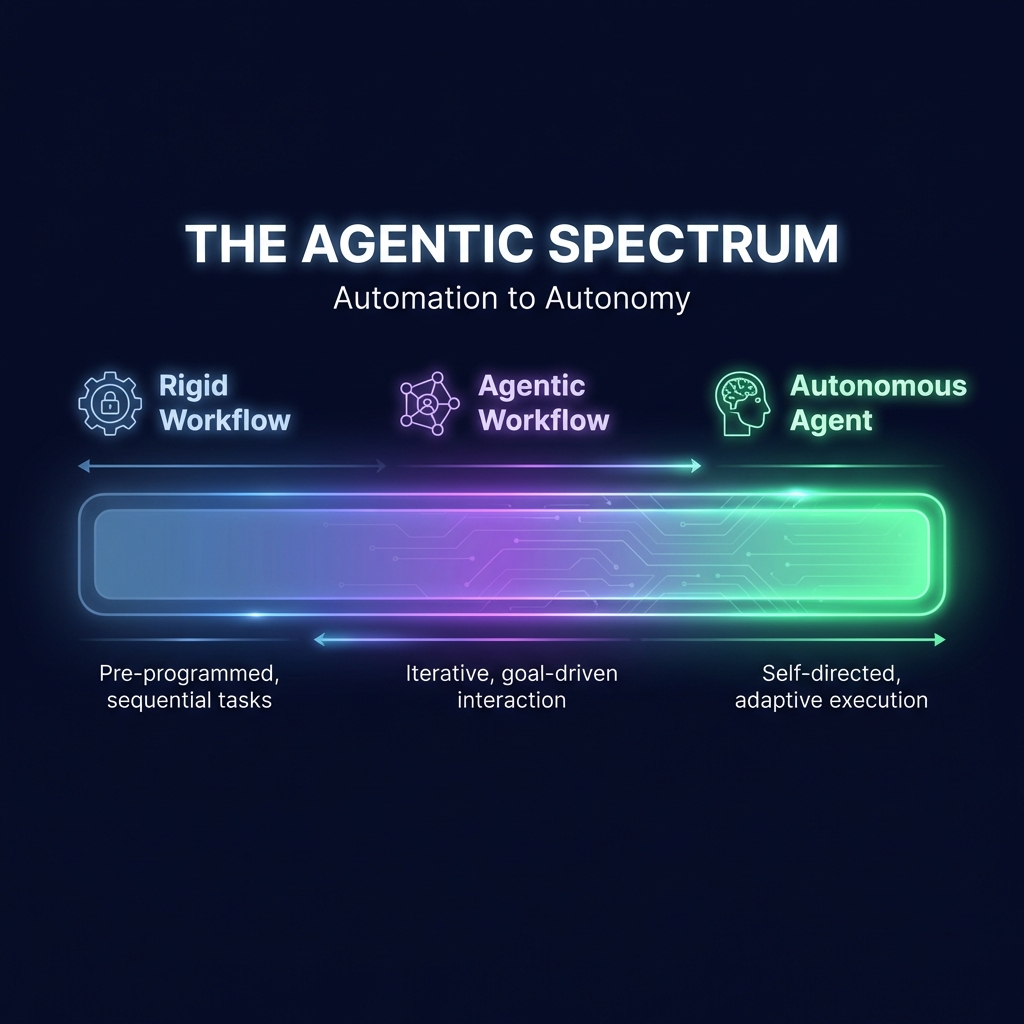
These are systems that look like workflows (they have a clear overall structure) but contain nodes with unchecked autonomy. For example, a "Router" step often acts as a mini-agent, deciding which specific sub-workflow to trigger based on the user's intent.
When to choose what?
Use a Workflow when:
- The process is well-understood and repetitive.
- Reliability and low latency are critical.
- You need to minimize token usage (costs).
Use an Agent when:
- The input is highly ambiguous.
- The number of edge cases is too high to code manually.
- The system needs to explore an environment or react to dynamic feedback.
Conclusion
Start with a workflow. Add agency only where you hit a wall of complexity that rule-based logic cannot solve. The most robust "Agents" in production today are often just very clever, flexible workflows with small pockets of autonomy.